Smart home hubs, plugs, sensors, locks and curtain motors
How to start a smart home without wasting moneyMatter, Thread, Zigbee, Z-Wave, Wi-Fi and Bluetooth explainedBefore you buy a smart device: a pre-purchase checklistSmart home basics: Wi-Fi, Bluetooth, hubs and Matter explainedMatter and Thread explained: what works with whatWhat not to plug into a smart plug: load ratings, heaters and motorsWater leak and freeze sensors: where to put them before winterSmart lock buying guide: door fit, backup entry, voice unlock and lock gradesSmart curtain motors: rods, rails, curtain weight and cordless safetyTurning the heat down at night: how much a thermostat setback really savesSmart home: what you actually need to buy, and what's just on the boxBefore you buy online: 9 checks for smart-home and air devices
Where should your smart home start? Answer two questions.
What do you want your home to do first?
Do you want it in Apple's Home app?
What worries you most?
Can you change your thermostat?
Do you rent or own?
Our suggestion
A stick-on door sensor, plus a hub for alerts
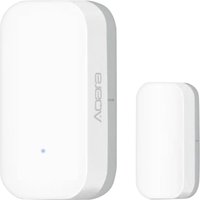
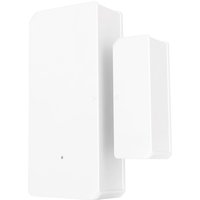
Some door sensors join your Wi-Fi and alert the maker's app with nothing else to buy; Sonoff says its DW2 works that way (Sonoff), but Geekbuying's listing showed sold out on 26 Nov 2026. The in-stock option here is a Bluetooth sensor that needs a hub for alerts away from home. Either way it sticks on, so it suits renters.
Why some sensors need a hub and others don't: what you actually need to buy.
Our suggestion
A Zigbee sensor plus its hub
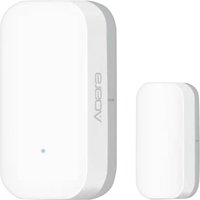
Small coin-battery sensors are cheap, but they reach Apple Home through a hub. Aqara says its door and window sensor needs an Aqara hub, and that the hub is what lets it work with Apple Home (Aqara). Price the hub in before you buy a multipack.
Geekbuying's Xiaomi Aqara door sensor listing showed sold out on 26 Nov 2026, and no in-stock sensor in our catalog says on its own page that it works with Apple Home, so we have no pick here right now.
What an iPhone can do without a home hub, and what it can't: Matter and Thread explained and what you actually need to buy.
Our suggestion
Leak sensors where water starts
A spot sensor only covers the floor it sits on, so start with the likeliest places: beside the water heater, behind the washer and under the kitchen sink. Our leak and freeze sensor guide has the full placement list.
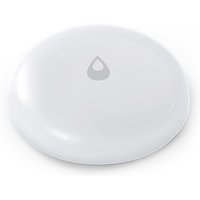
Geekbuying's Xiaomi Aqara leak sensor listing showed sold out on 26 Nov 2026, so we have no spot leak sensor to suggest from our catalog right now.
Source: Aqara water leak sensor. For basements, garages and outbuildings far from the router, see our YoLink review.
Our suggestion
A temperature alert for cold spots
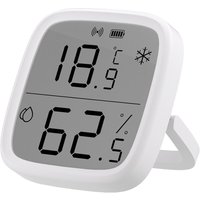
FORTIFIED, a program of the Insurance Institute for Business & Home Safety, recommends keeping the heat at 55°F or higher and having a system that alerts you if indoor temperature drops below 55°F (FORTIFIED). A small sensor in a crawl space, garage or sink cabinet on an outside wall does that, as long as it can reach the internet.
Winter steps and the power-outage problem: leak and freeze sensors. Sensors far from the house: YoLink review.
Our suggestion
Start with a smart plug
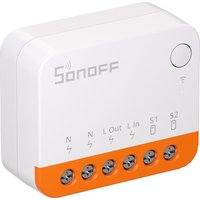
A smart plug for a lamp or fan is the easiest first step and works the same whether you rent or own. If your household mixes iPhone, Android, Alexa or Google, a Matter-certified Wi-Fi plug such as the Kasa KP125M sets up in Apple Home, Google Home, Alexa or SmartThings without a hub; it needs 2.4 GHz Wi-Fi, and its energy readings show only in the Kasa app. See our Kasa KP125M review. Already using SwitchBot? Compare the SwitchBot Plug Mini and pair it with a hub for voice and away-from-home control.
Don't put a space heater on one: heater makers often forbid automatic switching. Smart plug safety covers what's safe to plug in.
Our suggestion
A clip-on curtain motor
Clip-on motors ride the rod or track you already have, with no wiring, which suits renters. Check three things first: the version for your hardware (rod, U rail or I rail), the curtain weight (SwitchBot rates its Curtain 3 for up to 15 kg, about 33 lb) and the heading style (SwitchBot says grommet, ring top, back tab and tab top work; rod pocket doesn't) (SwitchBot Curtain 3; SwitchBot curtain compatibility). Voice control and Apple Home need a SwitchBot hub.
Smart curtain motors guide · SwitchBot Curtain 3 review · Browse curtain motors
Our suggestion
A setback schedule, plus a room sensor
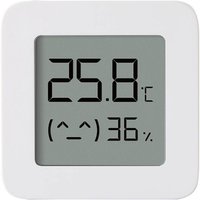
The Department of Energy says setting the thermostat back 7 to 10°F for at least 8 hours a day can save as much as 10% a year on heating and cooling (DOE). Heat pumps are the exception: a fast recovery can call in backup resistance heat and wipe out the savings. A cheap sensor in the bedroom shows whether a setback leaves it colder than you'd like.
Our suggestion
Heat the room you're in
Every 1,500 W heater makes the same heat; pick the type for how the room is used, size it, and run it only while you're there. Don't automate it with a smart plug: Vornado's heater manual says not to use its heater with a timer that switches it on or off automatically (Vornado VHEAT manual).

Space heater types · Heater size calculator · Running cost calculator
Our suggestion
A retrofit lock over your thumbturn
A retrofit lock fits over the inside thumbturn and turns it for you. The outside of the door doesn't change, so your existing key keeps working as the backup; SwitchBot's Lock Pro page describes setup that preserves your original lock (SwitchBot Lock Pro). Check your lease before changing anything on the door. Lock and door alerts away from home come through a hub.
Smart lock buying guide · SwitchBot Lock Pro review · Keypads
Our suggestion
Retrofit or a new keypad deadbolt
Owners can pick either style. A retrofit lock keeps your current deadbolt and keys; a replacement deadbolt puts a keypad or fingerprint reader outside but takes more installation and the right door measurements. If your current deadbolt is flimsy, upgrading it is a better investment than any smart feature: the bolt still does the work.
Smart lock buying guide (door checks, batteries, guest codes, account security) · SwitchBot Lock Pro review
How to choose
- Check the radio first. Wi-Fi devices work from the maker's app (Sonoff's DW2 needs no gateway); Bluetooth devices need a hub for alerts, voice and control away from home; Zigbee devices need a Zigbee gateway for app control (Sonoff SNZB-02D). Examples in what you actually need.
- Price the hub in. SwitchBot lists its Hub Mini at $39; one hub covers many devices.
- Matter: you need a controller on your platform, plus a Thread border router for Thread devices. See Matter and Thread.
- Subscriptions: plugs and sensors generally don't need one; camera cloud recording usually does, as in SwitchBot's camera plans.
Full breakdown: what you actually need vs what's marketing. Before you order, run the 9 checks before you buy online.
Under $23$23–$100Over $100
All smart home