How to choose a smartwatch or smart ring (and when a budget one is enough)
Phone compatibility, what budget watches and rings really measure, battery claims, water ratings and GPS, in plain English.
Updated 2026-11-27
Most smartwatch regrets come from one of five things: the watch doesn't work properly with your phone, the companion app is poor, the battery figure was never realistic, the "waterproof" claim meant less than you thought, or there was no GPS when you wanted to map a run. Check those five and you can buy a cheap watch or an expensive one without surprises.
1. Start with your phone, not the watch
A smartwatch is an accessory to your phone. The phone decides what you can buy.
- Apple Watch needs an iPhone. Apple's compatibility table pairs every Apple Watch model with an iPhone and an iOS version; Android isn't listed at all. For Series 11, SE 3 and Ultra 3 it lists an iPhone 11 or later running iOS 26 or later. The minimum moves up with new models, so check the table if your iPhone is a few years old.
- Some Wear OS watches are Android-only. Google's Pixel Watch help page says plainly that iPhones aren't supported, and each Pixel Watch generation needs a newer Android version (Pixel Watch 4 needs Android 11 or later, Pixel Watch 5 needs Android 12 or later). Other Wear OS brands set their own rules, so read the model's compatibility notes before you buy.
- Budget watches and rings use their own apps. They pair through the maker's own companion app (the listing or app store page says whether it runs on Android, iPhone or both), which handles notifications, health data and watch faces. That app is the product as much as the watch is: look at its store page, recent reviews and the permissions it asks for.
What you give up with a budget watch is mostly depth. Notifications arrive, but replying, third-party apps, payments and voice assistants are often missing or limited. If those matter, a mainstream watch for your phone's platform is the safer buy.
2. Health sensors: useful trends, not medical readings
Heart rate, sleep, steps, blood oxygen and "blood pressure" readings on a wrist or finger are wellness features unless the maker says a specific feature is FDA-cleared. The FDA's General Wellness guidance (issued January 2026) explains the line: a product can show estimates such as blood pressure or oxygen saturation for fitness, sleep or stress, but once it's meant for screening, diagnosis or managing a disease it is no longer a wellness product. The full guidance names blood pressure monitors, glucose meters and ECG devices as examples of medical products.
One claim to avoid entirely: the FDA warned in February 2024 not to use smartwatches or smart rings that claim to measure blood sugar without piercing the skin, and said it has not authorized any such watch or ring. If a listing promises non-invasive glucose readings, skip it.
Practical rule: use a cheap watch or ring to see trends (am I sleeping less this week, is my resting heart rate creeping up?) and use a proper medical device, or your doctor, for anything you'd act on.
3. Battery life: read the test conditions
Battery figures are measured under the maker's own usage pattern. Apple is unusually open about this: its battery page rates the Apple Watch SE 3 at up to 18 hours and spells out the test, including 90 notifications, 15 minutes of app use and a 60-minute workout with music, and notes that real results vary. Budget listings rarely publish their test, so treat "up to X days" as a best case with the screen mostly off.
What drains any watch fastest: an always-on screen, GPS workouts, Bluetooth calls through the watch speaker, frequent heart-rate or blood-oxygen sampling, and lots of notifications. Turn off what you don't use and even a cheap watch lasts noticeably longer.
4. Water resistance: ATM, metres and IP are different things
There are two separate systems on watch boxes:
- Metres, bar or ATM come from watch standards. ISO 22810 covers water-resistant watches; BSI's listing notes that divers' watches are a separate standard (ISO 6425). The number is a test pressure, not a safe diving depth: Garmin's manuals, for example, explain that a "5 ATM" watch is rated for the pressure found at 50 m.
- IP ratings (IP67, IP68) come from IEC 60529, a general standard for electronics. For the 8 in IP68, the maker sets the depth and time: Apple, for instance, rates recent iPhones at 6 metres for up to 30 minutes.
Apple's Apple Watch water-resistance page shows how much the label matters. The first Apple Watch, rated IPX7, shouldn't be submerged; Series 2 and later, rated 50 metres under ISO 22810:2010, can be used for shallow swimming but not for diving, water skiing or other high-speed water. Apple also says water resistance isn't permanent, can drop after a knock, and can't be rechecked or resealed. Soap, perfume, saunas and steam rooms are on its avoid list too.
For a budget watch that only says "IP68" with no depth or time, assume it survives rain, sweat and hand-washing. Don't count on it for swimming unless the maker says swimming is fine.
5. GPS: built-in or borrowed from your phone
A watch with built-in GPS can map a run or ride while your phone stays at home. Many budget watches have no GPS chip and rely on the phone, if they track routes at all, so check the listing for "built-in GPS" and assume there's none if it isn't mentioned. Even good GPS has limits: GPS.gov says phones are typically accurate to about 4.9 m under open sky, and accuracy worsens near buildings, bridges and trees. A wrist device with a small antenna won't beat that, so expect wobbly tracks in city centres.
Budget watch or mainstream watch?
A budget watch or ring makes sense if you want notifications on your wrist, step and sleep trends, a timer and maybe Bluetooth calling, and you're happy with a basic app. Buy a mainstream watch for your phone (Apple Watch for iPhone; a Wear OS or other major-brand watch for Android) if you want reliable GPS, payments, third-party apps, swimming you can trust, long software support, or any health feature the maker says is FDA-cleared.
Our picks from the wearables section
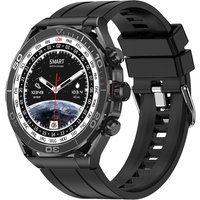
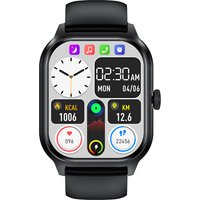
These are inexpensive watches and rings sold by Geekbuying. Every claim below comes from the product title; check the listing for the companion app, GPS and water rating before you buy.


Already have an Apple Watch? A spare band is a cheaper refresh than a new watch:


Related: Will an unlocked phone work on my carrier? · Before you buy any smart device